





I purchased this product and overall it was a good experience. The setup was straightforward, everything worked as expected, and the quality matched what I was looking for. Good value for the price.
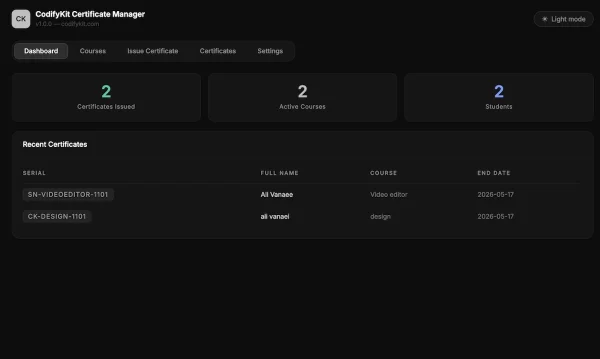
WordPress Certificate Manager Plugin by CodifyKit is built for educational organizations and training centers that need a professional way to issue and verify certificates — without WooCommerce, without complexity.
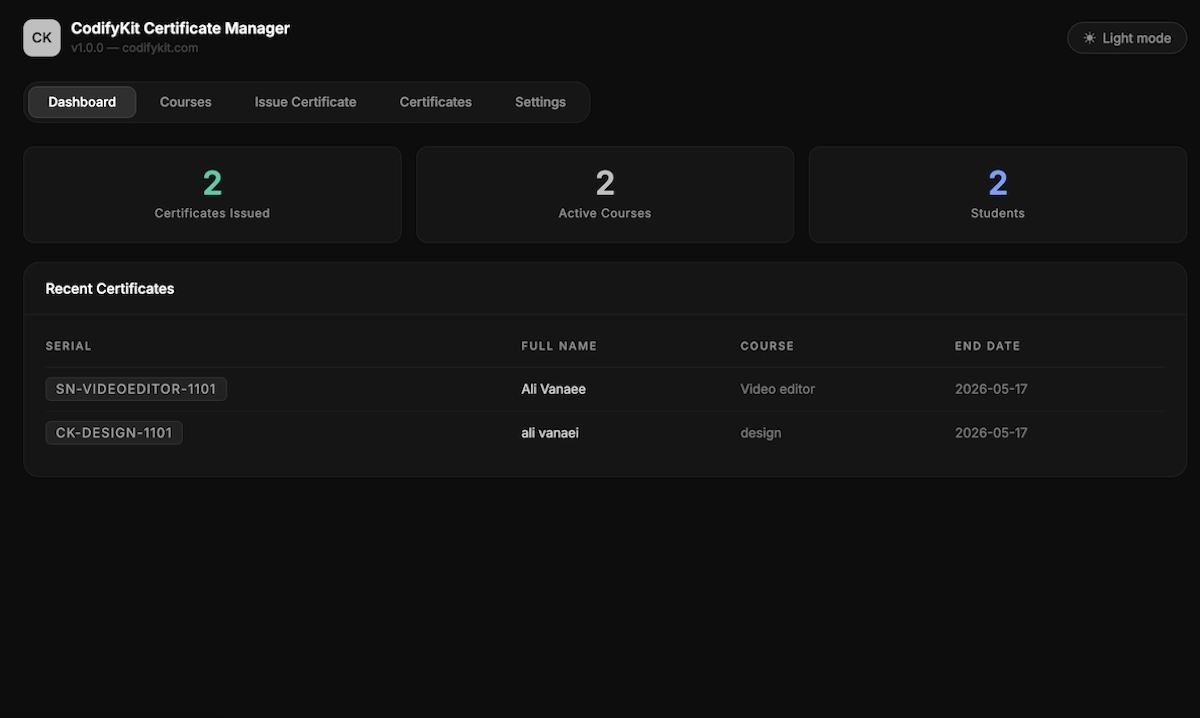
Most WordPress certificate plugins are either tied to a specific LMS like LearnDash or require WooCommerce to function. CodifyKit Certificate Manager is different — it works as a standalone plugin on any WordPress site, with any theme, without any dependencies.
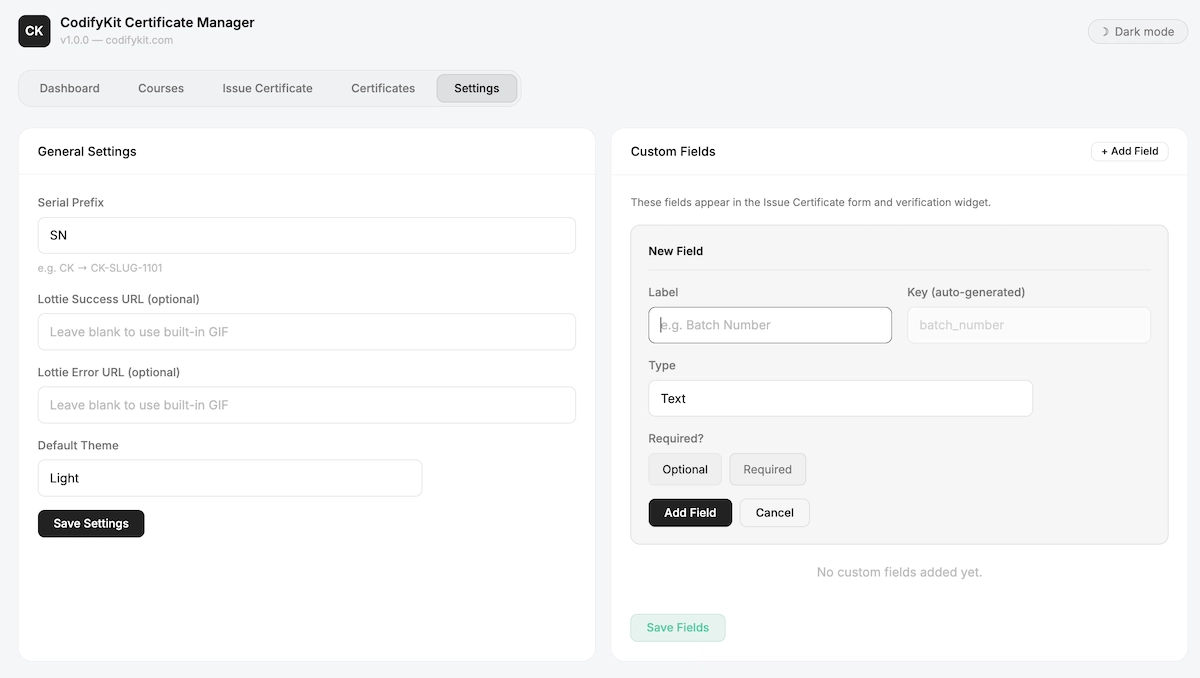
The serial number system is designed for real-world use. Each course gets its own counter, and the prefix is fully customizable so your certificates carry your brand name, not ours. A certificate issued today might look like ACME-DESIGN-1101 — clean, professional, and traceable.
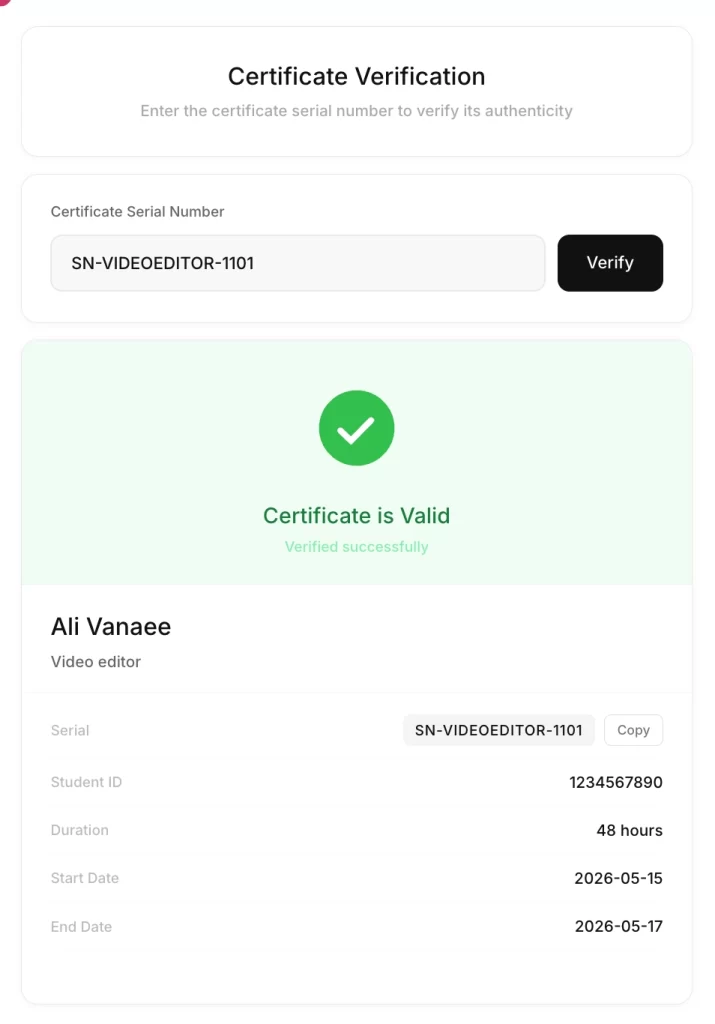
The public verification widget is built for trust. Anyone — an employer, a partner, an institution — can visit your site, enter a serial number, and instantly confirm whether a certificate is genuine. No account needed, no friction.
Custom fields make the plugin adaptable to any industry. A language school might add “Language Level” and “Instructor”. A fitness academy might add “Specialization” and “Training Hours”. Whatever your field, you can extend the certificate data without touching code.
The admin panel follows the CodifyKit design system — dark glass interface with Inter font, smooth interactions, and a light mode option for those who prefer it. It feels like a modern SaaS tool, not a decade-old WordPress plugin.
Certificate Management
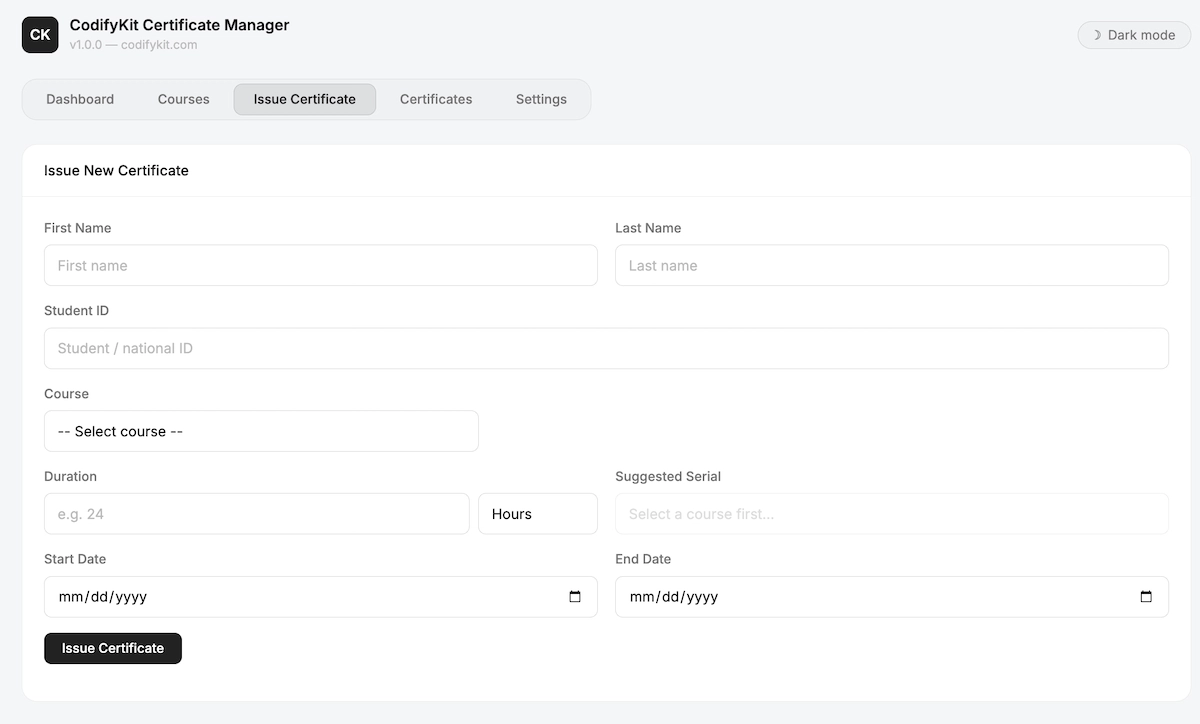
– Issue certificates in seconds with a clean, guided form
– Auto-generated serial numbers with customizable prefix
– Custom fields add any data: city, grade, instructor, batch, and more
– Duration with unit selection: hours, days, or months
– Gregorian date picker for start and end date
– Copy serial with one click from admin or verification widget
Course Management
– Register unlimited courses with name and slug
– Serial counter per course each course has its own numbering
– Preview next serial before issuing
Public Verification
– Shortcode “[ ck_verify ]” add to any page in one step
– No login required anyone can verify a certificate
– Lottie animation support for success and error states
– Shows all certificate fields including custom ones
Admin Panel
– Dark / Light mode toggle, saved per browser
– Dashboard with stats: total certificates, courses, unique students
– Certificate list with search and course filter
– Settings panel with custom field builder (no coding needed)
Security
– License required to write data prevents unauthorized use
– All data stored in your own database
– REST API with nonce authentication
v1.7.0 — Initial Release
– Complete rewrite of the verification widget with inline styles for full compatibility with any WordPress theme
– Spinner loading state while certificate is being checked
– Verify button disabled during request to prevent double submit
– Local Lottie JSON support from assets/lottie/ folder
– confirm.json and error.json replace external GIF files
This license covers use of the purchased product in one end project for yourself or a client. Redistribution, resale, source-file sharing, or repackaging the item as a competing product is not permitted. Purchase information remains available from your account after checkout.
I purchased this product and overall it was a good experience. The setup was straightforward, everything worked as expected, and the quality matched what I was looking for. Good value for the price.

nice
Your feedback helps other customers understand how this product performs in real projects.
No. CodifyKit Certificate Manager is a standalone WordPress plugin. WooCommerce is not required.
You can set any prefix — your brand name, abbreviation, or course code. The full format is `PREFIX-COURSESLUG-NUMBER` and the number auto-increments per course, starting at 1101.
Add the shortcode `[ck_verify]` to any page. Visitors type the certificate serial and the system checks your database in real time. No login required.
Yes. Go to Settings → Custom Fields and add any field you need — text, number, textarea, or image. These fields appear in the issue form and on the verification result automatically.
Yes. All certificate data is stored in your own WordPress database. The only external connection is to codifykit.com for license validation.
One license activates on one domain. Purchase additional licenses for additional sites.
The public verification widget continues to work. The admin write functions (issue certificate, add course, change settings) become restricted until the license is renewed.
Yes. The admin panel is fully self-contained. The `[ck_verify]` widget uses inline styles to prevent theme interference.
